(214) 272-7034
  info@fasthippomedia.com


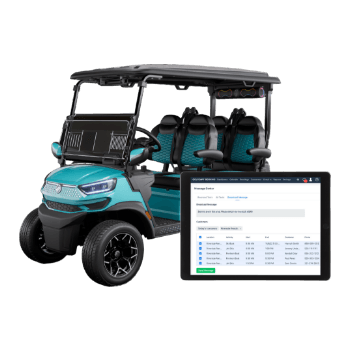
Which booking tool is the best golf cart booking software for your rental desk? The honest answer is the one that passes a short checklist, not the one at the top of a vendor’s own ranking. It has to know which individual cart is free, keep card numbers off your systems, put the right tax on the receipt for the town you rent in, and take bookings from your Google Business Profile without hiding the results from you. Run every contender through the same questions below, and the choice usually makes itself.
TL;DR
The best golf cart booking software is the tool that clears five checks on a real test booking. First, availability is tracked per cart, with charging and repair downtime blocked out. Second, a payment provider handles the card data and can show a PCI DSS Attestation of Compliance that covers the service you would actually use. Third, the tax setup matches your jurisdiction; a counter in Colorado Springs, for example, owes a city tax the city collects itself, separate from the state and county portions.
Fourth, the booking page can sit behind a Google Business Profile booking link, and you tag that link, because Google reports no performance data for custom booking links. Fifth, you can export your customer and booking records whenever you want. Most published comparisons are written by vendors ranking themselves, so treat the checklist, not the list, as the deciding tool.
What Makes Golf Cart Booking Software the Best Fit?
The best fit is the tool whose answers hold up when you make a real booking in a demo, not the one with the longest feature grid. Five things decide it for a rental operation: availability by individual cart, card data kept with a compliant payment provider, tax lines built for your jurisdiction, a booking path from Google that you can measure, and records you can export and keep.
Everything else is useful but negotiable. Branded confirmation emails, upsells for coolers or Bluetooth speakers, and loyalty codes are nice to have. None of them matters if a family books a cart that is sitting on the charger with a dead pack.
Here is the checklist we hand to rental owners before they sit through any demo.
| Check | Why it matters to a rental desk | What to ask in the demo |
|---|---|---|
| Availability per cart | Two carts of the same model are not interchangeable when one is in the shop | “Show me how you block one unit for repair without closing the whole model” |
| Card data handling | The PCI standard applies to every merchant that takes cards | “Who stores the card number, and can I see your Attestation of Compliance?” |
| Tax by location | Local rates and collecting agencies differ by town | “Can the receipt and the monthly report split tax by agency?” |
| Google booking link | Renters often start on Maps | “Can I paste a tagged booking URL into my Business Profile?” |
| Data export | Your customer list is the asset, not the software | “Export every booking and customer from last month, right now” |
If a salesperson cannot do the last row live, that tells you most of what you need to know.
Does It Track Each Cart, or Only a Category?
Many booking tools were built for tours or equipment and count stock by category: “four-seat carts, quantity 12.” That works until one cart needs a new charger and the system keeps selling it. For a golf cart fleet, ask whether each unit can carry its own record, with its own status and its own calendar.
Downtime and charging windows
Electric carts spend part of every day charging, and a cart returned late in the afternoon may not be ready for an early pickup the next morning. Good software lets you set a turnaround buffer between rentals, per cart or per model, so the booking calendar never promises a cart that is still plugged in. Have the vendor show you where that buffer lives and whether it can differ on weekends, when turnaround is tightest.
Delivery and pickup slots
Plenty of operators deliver carts to rental homes, campgrounds, and event sites. If you do, the software needs delivery windows as a resource of their own, because your truck and trailer run out before your carts do. A tool that only books carts will happily sell six deliveries for the same hour.
Fields you control
Your rental agreement is yours. Whatever your insurer and your own policy require of a driver, such as a license check or a minimum age, the booking form should let you add those fields and make them required. Do not rely on a vendor’s default form to reflect local rules; the rules for driving a cart on public streets vary by town and state, and it is your counter that answers for them.
Who Holds the Card Number When Someone Books Online?
The payment provider should hold it, not you, and ideally not the booking app’s own servers. The PCI Security Standards Council states on its resources page for merchants that PCI DSS applies to merchants “regardless of their size or transaction volume.” A two-location rental business is in scope the moment it takes a card.
The same page links the council’s small-merchant guide, “Questions to Ask Your Vendors” (version 2.0, August 2018). It names online booking applications as an example of the software-as-a-service vendors merchants use, and for any provider that stores, processes, or transmits card data on your behalf, it tells you to ask for their “PCI DSS Attestation of Compliance” and “whether their assessment included the service you are using.” That second clause is the one sales teams skip. A vendor can hold a valid attestation for its card terminal product while the booking widget you are buying sits outside it.
Watch for one answer in particular: “We encrypt everything.” The council’s own FAQ on that page says encryption alone is “generally insufficient” to take card data out of scope. Encryption is good. It is not an answer to the question you asked.
| Payment setup you are shown | What it means for you | What to request |
|---|---|---|
| Card form hosted by a named payment processor | Card data goes straight to the processor | The processor’s name and its Attestation of Compliance |
| Card form built into the booking app | The booking vendor handles card data | The vendor’s own attestation, covering this booking product |
| Staff typing card numbers taken by phone | Your staff and devices touch card data | Ask your processor what this adds to your own compliance |
This is also where “golf cart rental automation” earns its name or does not. Automated deposits, damage holds, and refunds are only as safe as the payment layer underneath them, so check that layer before you admire the workflow on top.
Tax Lines That Match Where the Cart Is Rented
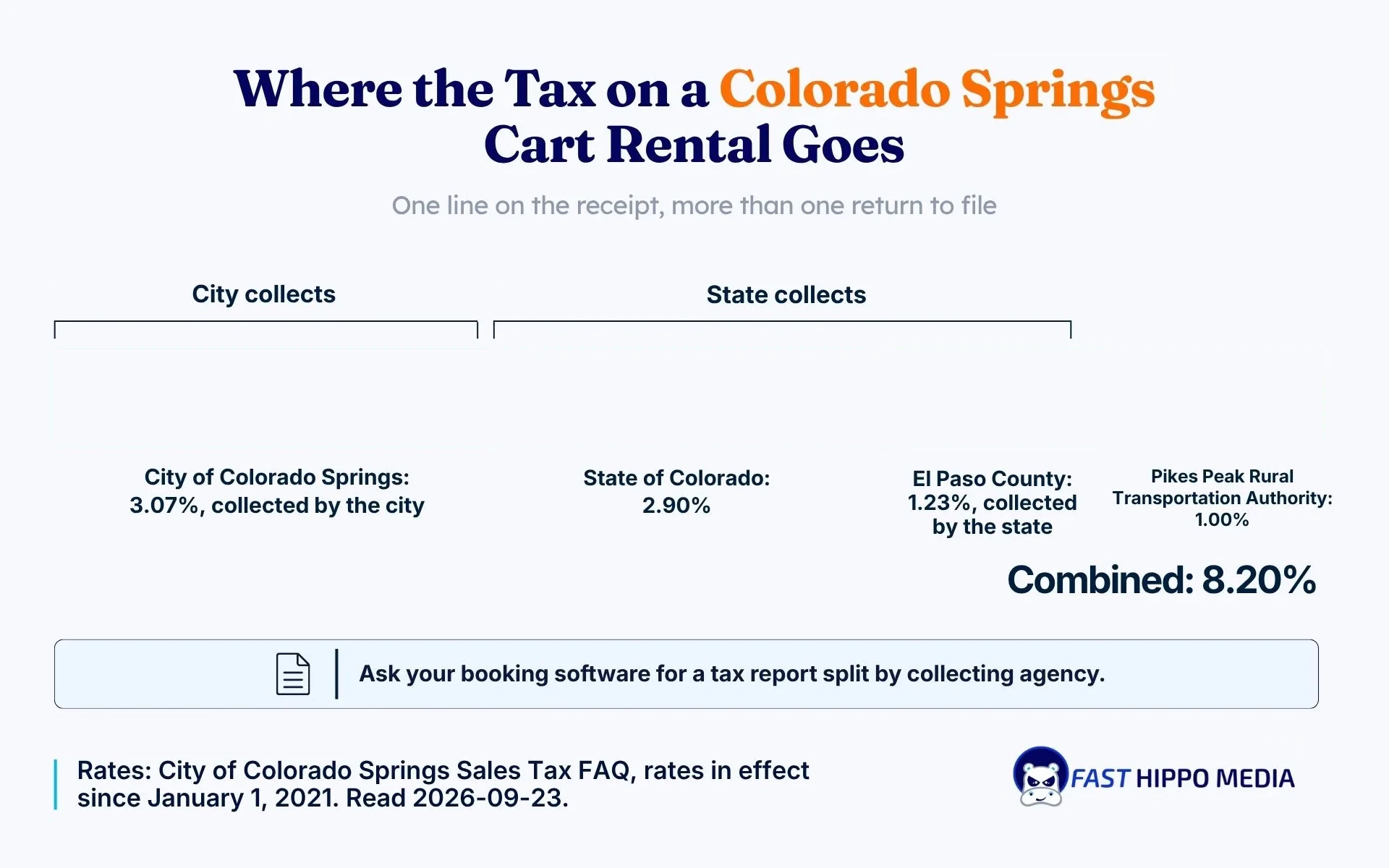
A booking tool that applies one flat percentage everywhere will be wrong somewhere. Colorado Springs shows why. It is a home-rule city, and its own sales tax FAQ says the city sales tax covers “leases of tangible personal property” and is “collected by the retailer or lessor and remitted to the City.” A cart rental is a lease, so the rental business is the lessor doing the collecting.
The same FAQ lists the rates that stack on a rental inside the city since January 1, 2021.
| Portion | Rate | Who collects it |
|---|---|---|
| City of Colorado Springs | 3.07% | The city itself |
| State of Colorado | 2.90% | State of Colorado |
| El Paso County | 1.23% | State of Colorado |
| Pikes Peak Rural Transportation Authority | 1.00% | Listed separately by the city |
| Combined | 8.20% | Two separate returns at minimum |
That split is the software requirement. The receipt can show one tax line, but the monthly report has to separate the city’s own portion from the portions the State of Colorado collects, or your bookkeeper rebuilds it by hand every month.
The FAQ adds a detail worth knowing if you rent from a shopping center: a Public Improvement Fee is not a sales tax, and it “must be listed on the sales receipt as a separate line item.” If your counter sits in a development that charges one, your booking software needs a line for it.
A counter in Frisco or Dallas answers to Texas rules instead, so the Texas setup has to come from the Texas Comptroller’s guidance and your accountant, not from a Colorado template. If you deliver carts into neighboring towns, ask your accountant which rate applies and confirm the software can hold more than one.3
Can Customers Book a Cart Straight From Google?
Yes, in two ways, and the difference affects what you can measure. Google’s help page on managing local business links says a Business Profile can carry up to 10 links per category, including links to book an appointment or make a reservation, and you can mark one as “Business preferred.” You paste your own booking URL, or you sign up with a provider.
The provider route runs through Reserve with Google. Google’s page on setting up bookings through a provider says a connected provider shows on your profile “within a week,” that the provider “might charge you,” and, the line most operators miss, “Performance data isn’t available for custom links.”
So if you paste your own link, Google will not tell you how many bookings it produced. The fix is simple: add tracking parameters to the booking URL before you paste it, so your analytics can see which reservations started on Maps. Check with each vendor that its booking page keeps those parameters through checkout. Some drop them on the payment step, which quietly erases the answer you wanted.
Two more details from the links page are worth reading before you sign:
- Third-party booking links “can automatically appear” on your profile, supplied by partners or by Google’s automated data, and a provider has to remove its link within 5 days of your request.
- Local business links are not available through the Business Profile API or a spreadsheet upload, so every change is made by hand in the profile.
If you manage several locations, that manual step belongs in your onboarding plan, not in a surprise the week you switch vendors.
Where the Booking Page Lives on Your Site
Some tools embed the booking calendar in your own page; others send the renter to the vendor’s domain. Prefer the embedded version, so links to your booking page build your domain rather than the vendor’s.
Open it on a phone during the demo. It should load fast, show real cart photos and prices, and take a reservation without pinch-and-zoom, the same standard we hold dealer sites that sell carts from a phone screen to. A page on your own domain can also carry the town names and rental terms renters search for, which is where search work built for dealers and rental fleets picks up.
What Golf Cart Rental Automation Should Actually Do
Automation is the feature every demo leads with and the one worth testing hardest. Useful automation removes a phone call. Decorative automation adds a dashboard.
The jobs worth automating at a rental desk, in rough order of how often they come up:
- Confirmation with pickup time, address, and what to bring, sent the moment the card clears.
- A reminder the day before, with the return time and the fuel or charge rule.
- The deposit or damage hold, placed and released without staff touching a card number.
- A return checklist on a tablet or phone, with photos attached to the booking.
- A follow-up after the rental with your cancellation policy and a way to book again.
The messages in steps 1, 2, and 5 are marketing as much as logistics. If your software sends them, write them with the same care as any campaign, or connect it to a proper email tool; the booking reminders and retention emails we plan for rental businesses start from exactly this list.
Run a Demo That Proves Something
A sales demo shows you the happy path. Take the controls instead, and run this script on every tool on your shortlist, on the same day if you can.
- Book one specific cart for a Saturday, then try to book the same cart for an overlapping slot. It should refuse.
- Mark that cart as in repair and watch whether the calendar updates.
- Cancel the booking and issue a partial refund. Time it.
- Open the tax report for the test and check that it splits the rate by collecting agency for your town.
- Paste the tagged booking link into a browser, complete checkout, and see whether the tracking parameters survive.
- Export all bookings and customers to a spreadsheet.
Write down every step that needed a support ticket. The tool with the shortest list usually wins, whatever its price tier.
Where Our Own Platform Fits
We should say plainly that we build software in this space too. Our golf cart rental software covers bookings, fleet availability, inventory tracking, and customer follow-up, and we set it up around your pricing and workflow, with onboarding and training included. Put it through the same checklist as everything else. A tool that cannot answer the card data question or the tax report question is the wrong tool, including ours.
The software is also only the back office. The bookings still have to arrive, and for most rental businesses they arrive from search and Maps. Our older piece on what actually moves carts through search covers the site and search work that fills the calendar once the booking side is sorted.
Put Your Booking Software Shortlist Through a Test Rental This Month
Pick three tools, run the demo script above on each, and write down every answer that came back as “we will check.” The autumn slowdown is a good time to do it, because switching a live booking system in peak season means migrating reservations while renters are at the counter. Get each vendor’s Attestation of Compliance in writing, pull your tax report by collecting agency, and tag your Google booking link before the new system goes live so the first month of data is usable.
If you would like a second opinion on a shortlist, or want to see how our own platform handles the same script, Fast Hippo Media will walk through it with you and tell you honestly which tool fits the way your fleet runs.
Frequently Asked Questions
The best one is the tool that tracks each cart individually, keeps card data with a payment provider that shows a PCI Attestation of Compliance, splits tax correctly for your town, works as a Google booking link, and exports your data on request.
Yes. Google lets a profile carry up to 10 booking or reservation links per category, either your own URL or one from a Reserve with Google provider. Google reports no performance data for custom links, so tag the URL first.
Yes. The PCI Security Standards Council says its data security standard applies to merchants regardless of size or transaction volume. Using a payment provider that holds card data for you shrinks the work, but it does not remove the obligation.
The city’s sales tax FAQ says city tax applies to leases of tangible personal property and is collected by the lessor. The city collects its own portion directly, while the State of Colorado collects the state and El Paso County portions, so software must report them separately.
Prefer an embedded booking page on your own domain. Renters stay on your site; any links to the booking page build your domain, and the page can include the town names and rental terms that renters search for.